Data Quality Audit Workbook
Bring profiling results, evidence references and remediation findings into one auditable workbook.
Sold individually. This product is not included in the existing toolkits or Ultimate Bundle.
What you can do with it
- 500 quality-rule rows and 500 remediation findings
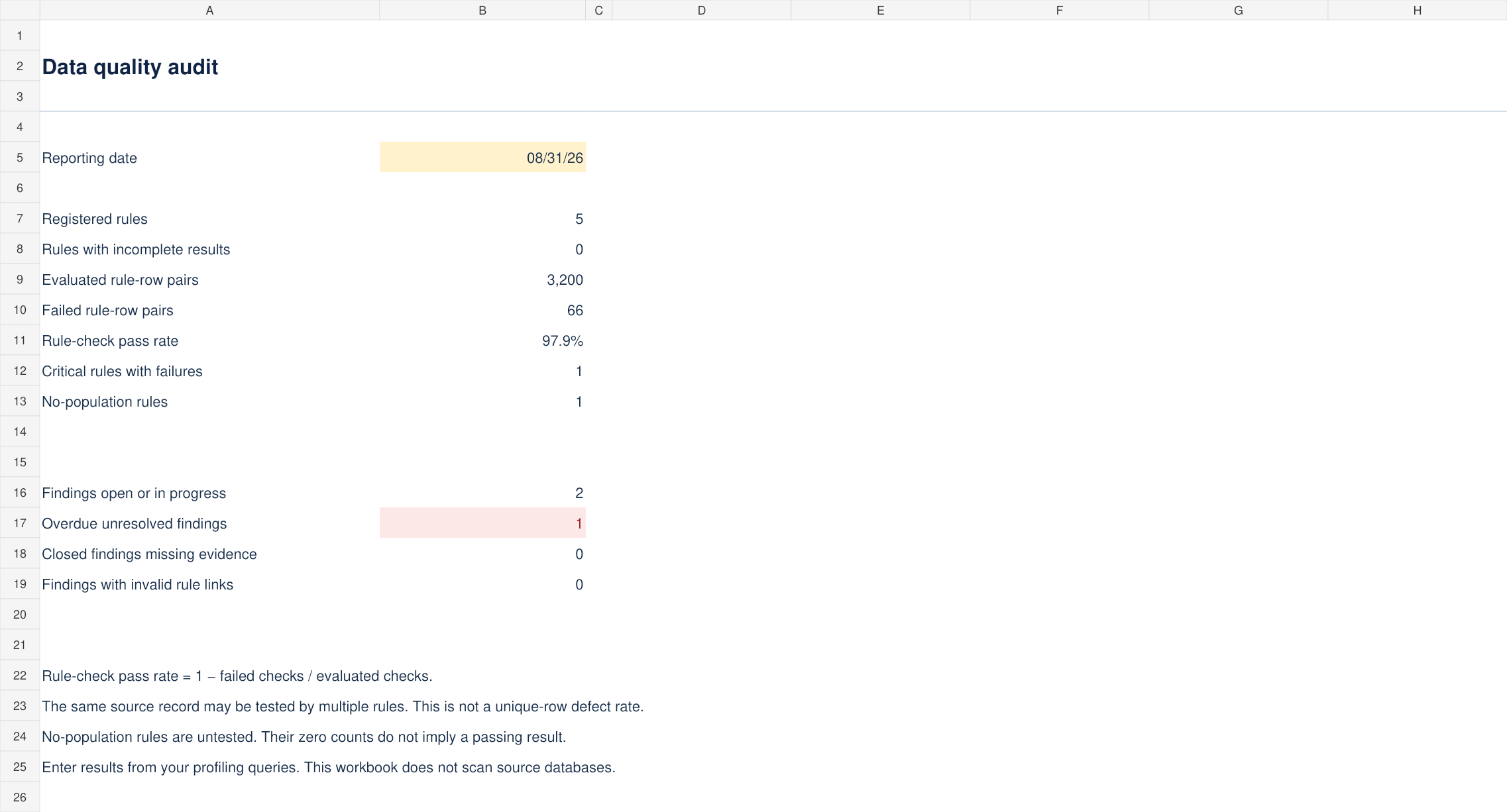
- Evaluated checks, failures and rule-check pass rate
- Overdue findings and missing closure-evidence flags
- Blank workbook, populated example and audit workflow
What is included
Version 1.0 · one ZIP download · 64 KB
See every included filename (5 files)
CONTENTS.txtData-Quality-Audit-Blank.xlsxData-Quality-Audit-Example.xlsxLICENSE.txtSTART-HERE.md
How to use it
- Set the reporting date on Audit.
- Register each rule on Rules with a unique ID, dataset, field, quality dimension, severity, evaluated count, failed count, run date, evidence reference and owner.
- Run the profiling queries in your own data environment and enter the results. Keep the underlying evidence file at the referenced location.
The included guide continues with definitions, review steps and product-specific limits.
Before you choose
The pass rate is 1 − failed rule-row pairs / evaluated rule-row pairs. One source row can be tested by several rules, so this is not a unique-record defect rate.
Failed counts must be whole, nonnegative and no greater than evaluated counts. Zero evaluated and zero failed means No population, not a passing test.
Format and scope
Designed for Excel. Blank and worked-example XLSX files, with no macros or external connections. Calculations and input scenarios were checked during authoring; native Microsoft Excel validation remains pending. Instructions are included as readable Markdown files.
Results are entered or pasted from profiling work; the workbook does not scan databases or execute quality rules.
Use the supplied severity and finding-status values. Data validation can be bypassed by pasting, so review source rows and evidence before sharing results.