Vendor Spend Analyzer
Compare vendor payments across months, preserve credits, and identify duplicate candidates for review.
Sold individually. This product is not included in the existing toolkits or Ultimate Bundle.
What you can do with it
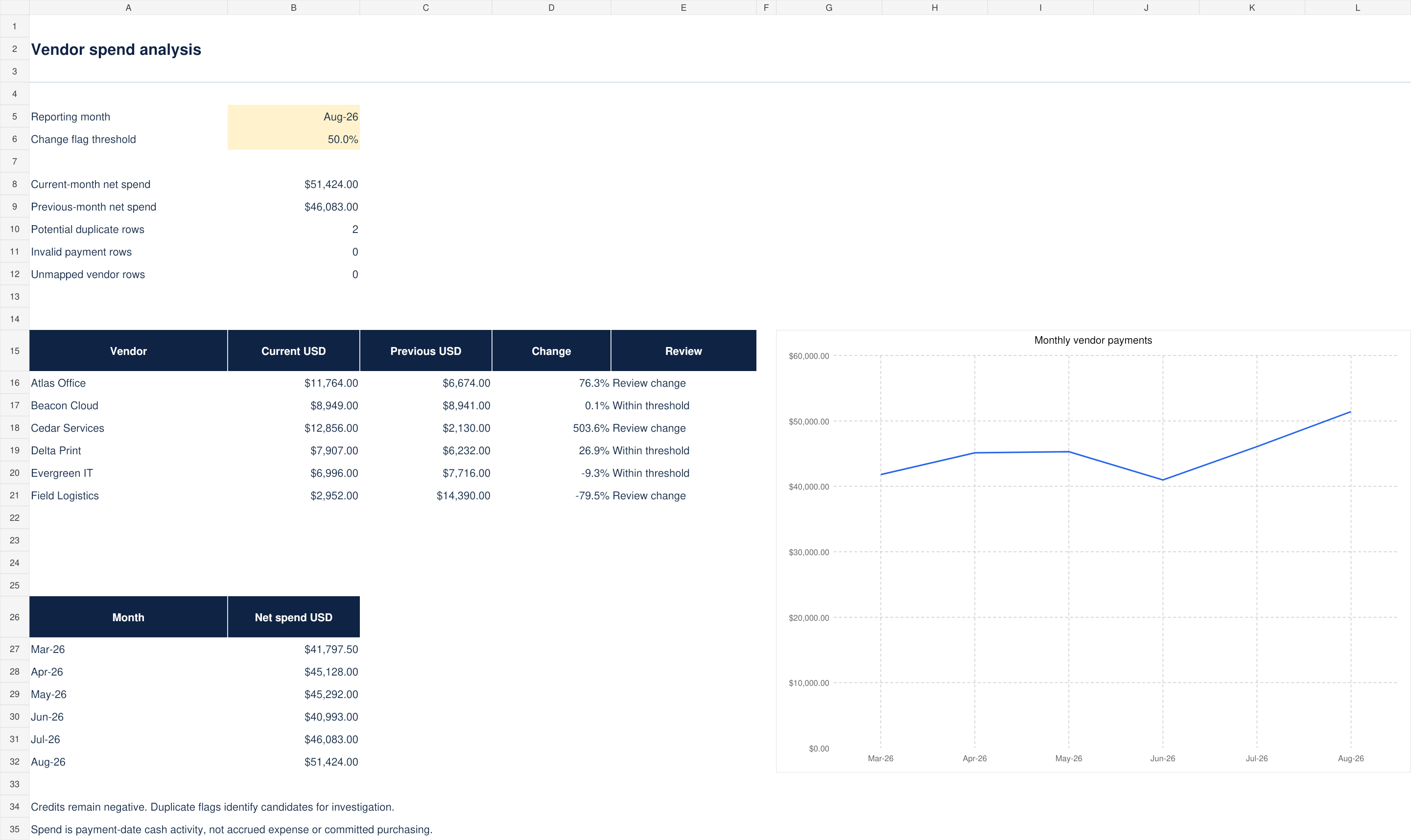
- Current and previous-month cash spend
- Six-vendor comparison and six-month trend
- Configurable change threshold and duplicate-candidate flags
- 500 payment rows, vendor register, blank file and worked example
What is included
Version 1.0 · one ZIP download · 56 KB
See every included filename (5 files)
CONTENTS.txtLICENSE.txtSTART-HERE.mdVendor-Spend-Analyzer-Blank.xlsxVendor-Spend-Analyzer-Example.xlsx
How to use it
- Set Spend!B5 to the FIRST day of the reporting month. Set the absolute percentage-change review threshold in B6.
- Enter vendor IDs and names on Vendors. The first six rows populate the main comparison; put the six vendors you want to compare there.
- Paste payment ID, vendor ID, payment date, invoice reference, signed amount and category into Payments A9:F508. Credits and recoveries are negative.
The included guide continues with definitions, review steps and product-specific limits.
Before you choose
Spend is payment-date cash activity. It does not represent accrued expense, invoice liabilities or committed purchase orders.
Change = (current − previous) / ABS(previous). With no previous spend, the report displays New spend or No spend rather than dividing by zero.
Format and scope
Designed for Excel. Blank and worked-example XLSX files, with no macros or external connections. Calculations and input scenarios were checked during authoring; native Microsoft Excel validation remains pending. Instructions are included as readable Markdown files.
500 payment and vendor rows; six vendors in the main comparison. Extend the comparison formulas and chart source if more vendors are required.
USD only, no currency conversion. Vendor/category classification is supplied by you; no external procurement connection is included.