Workload & Capacity Planner
Turn weekly volumes and handling times into demand hours, then compare them with productive team capacity.
Sold individually. This product is not included in the existing toolkits or Ultimate Bundle.
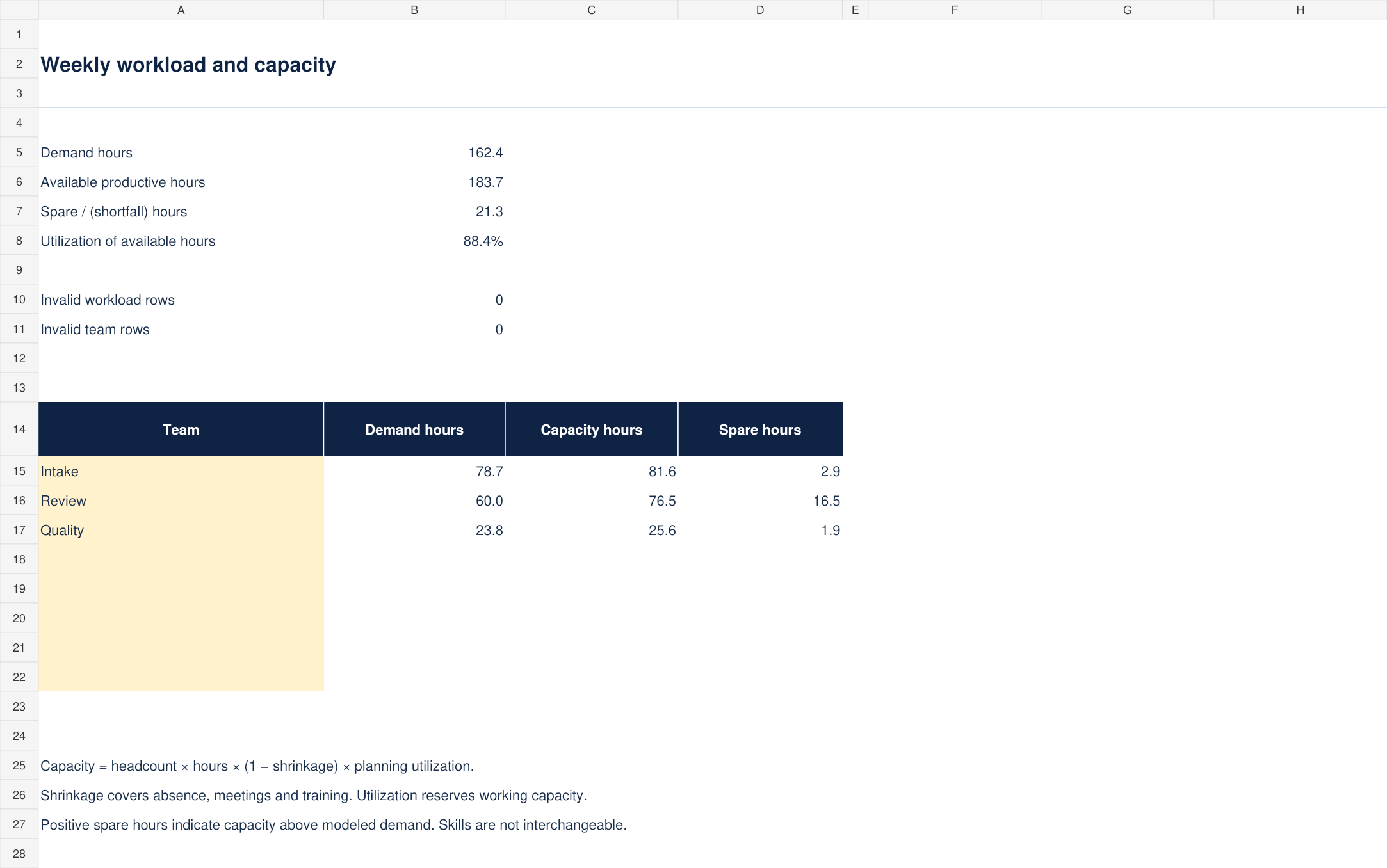
What you can do with it
- Demand hours from volume × handling time
- Capacity after shrinkage and planning utilization
- Eight editable team comparison slots
- Blank workbook, completed scenario and assumptions guide
What is included
Version 1.0 · one ZIP download · 48 KB
See every included filename (5 files)
CONTENTS.txtLICENSE.txtSTART-HERE.mdWorkload-Capacity-Planner-Blank.xlsxWorkload-Capacity-Planner-Example.xlsx
How to use it
- Review the fictional Intake, Review and Quality example before entering your own data.
- On Workload, enter work type, team, weekly volume and average minutes per item in the amber columns.
- On Team, enter headcount, weekly hours per person, shrinkage and planning utilization. Enter percentages as decimal values such as 0.20 for 20%.
The included guide continues with definitions, review steps and product-specific limits.
Before you choose
Demand hours = weekly volume × average handling minutes / 60.
Productive capacity = headcount × weekly hours × (1 − shrinkage) × planning utilization. Shrinkage represents absence, meetings and training; planning utilization reserves a further portion of working time.
Format and scope
Designed for Excel. Blank and worked-example XLSX files, with no macros or external connections. Calculations and input scenarios were checked during authoring; native Microsoft Excel validation remains pending. Instructions are included as readable Markdown files.
500 prepared workload rows and 500 staffing rows; eight team summary slots.
This is a weekly planning model, not a shift scheduler, queueing model or staffing guarantee. It has no skills-routing, seasonality or random-arrival simulation.